

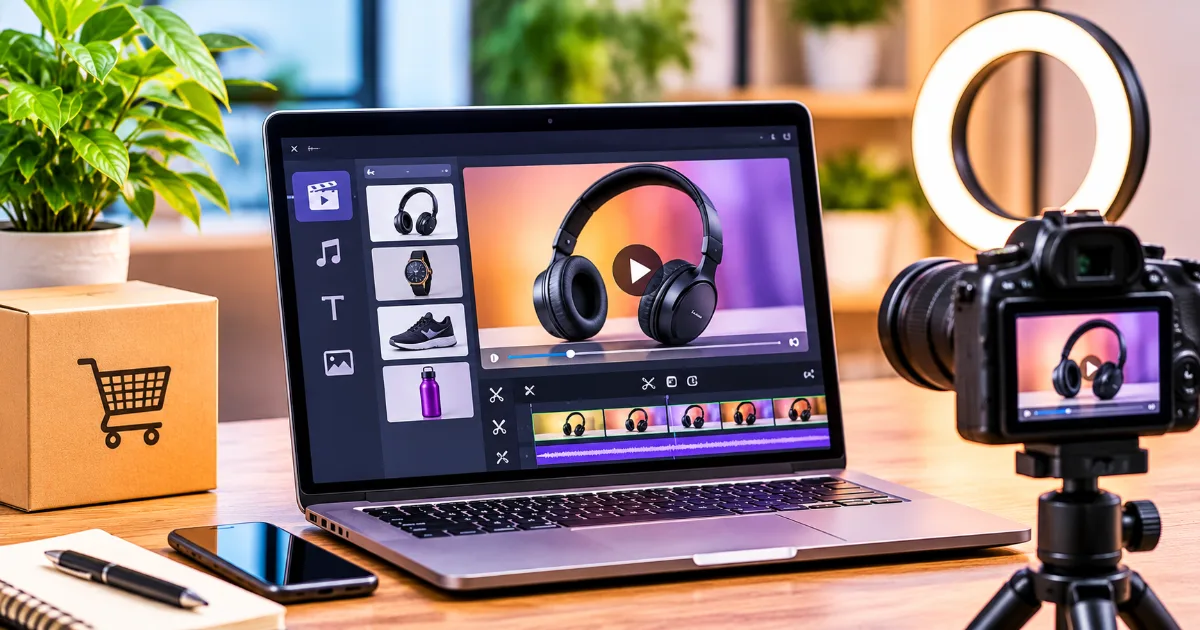
How to Use Boolv for Faster Product Video Creation
A practical workflow for turning product images, URLs, scripts, and brand assets into useful videos for ecommerce listings, social media, ads, and product pages.
Try Boolv for Product Videos →Boolv is most useful when you need a first product-video draft quickly, but still want control over the product images, message, voice, music, and final review. The practical approach is not to press generate and publish immediately. Instead, prepare accurate product information, choose a clear video goal, generate a draft, check every scene against the real product, and then export the version that fits the platform.
Quick Navigation
What Is Boolv and Why Is It Useful for Product Videos?
Boolv is an AI video-generation platform designed to turn ideas, scripts, product URLs, blog pages, images, and uploaded media into videos. Its product-focused workflows are particularly relevant to sellers who need short showcase videos but do not want to begin every project with a blank timeline.
According to Boolv’s current official information, the platform supports idea-to-video, script-to-video, product URL or image-to-showcase video, product URL-to-voice-over video, blog-to-video, visuals-to-video, templates, and a conventional start-from-scratch editor. It also supports uploaded media libraries, which is important when you need your actual product photos and brand assets to take priority over generic visuals. ([boolv.video](https://boolv.video/))
Boolv’s official site currently says that new users can try the service with 300 credits, which it describes as enough for three exports using core features such as idea-to-video and script-to-video. It also states that exports are available in MP4, with resolution options depending on the plan, and that commercial use is supported. Because software plans can change, check the live account page before relying on a particular allowance, resolution, or export limit. ([boolv.video](https://boolv.video/))
The main advantage is speed at the drafting stage. You can move from a product description to a rough visual sequence without manually searching for every stock clip, recording every voice-over, or building every transition yourself. The main limitation is that AI-generated scenes can misunderstand a product, alter its appearance, overstate a benefit, or create a visual that looks attractive but does not accurately represent what the customer will receive.
The Faster Boolv Product-Video Workflow
A productive workflow has five stages: prepare, prompt, generate, inspect, and adapt. Skipping the preparation stage usually creates more editing work later. The goal is not merely to produce a video quickly. The goal is to produce a usable draft quickly enough that you have time to improve accuracy and clarity.
Stage 1: Prepare the product information
Collect the product name, three to five accurate benefits, important specifications, the intended audience, the main call to action, and the visual assets you are allowed to use. If the product is listed on Amazon, Shopify, Etsy, or your own website, review the live listing first. Do not allow the video script to claim waterproofing, medical benefits, battery life, compatibility, included accessories, or performance results unless those claims are supported by the product documentation.
Stage 2: Choose one job for the video
A product page video may demonstrate use. A social video may need a fast hook. A paid advertisement may need a problem, solution, proof point, and call to action. A marketplace listing may need a clean presentation with restrained text. If one short video tries to perform all these jobs, the message can become crowded. Create separate versions when the audience or platform requires a different opening and pace.
Stage 3: Generate a draft, not a final advertisement
Use Boolv to create the first version of the sequence, voice-over, music, captions, and scene direction. At this stage, judge the structure rather than obsessing over every transition. Ask whether the first few seconds explain what the product is, whether the middle shows why it matters, and whether the ending tells the viewer what to do next.
Stage 4: Inspect every scene
Check the product shape, color, packaging, text, hands, props, measurements, and claims. Replace scenes that show the product being used incorrectly. AI tools can create plausible-looking details that are not part of the real product, so a human review remains essential for ecommerce content.
Stage 5: Adapt the export to the platform
One version may work for a product page, while another needs a vertical layout for social media. Keep the main product visible, use readable captions, and avoid placing important text near the edges where platform controls may cover it. Export the correct format and watch the final file on a phone before publishing.
Boolv’s product-to-showcase workflow is the most direct route when you have a product URL or a set of product images and want the system to build a visual presentation around them. The platform describes this workflow as turning product URLs or images into dynamic videos with voice-over, music, and visual scenes. ([boolv.video](https://boolv.video/))
Key Features
- Product URL or image-based starting point
- AI-assisted scene planning
- Voice-over and music options
- Useful for product pages, social clips, and early advertising concepts
The most important preparation step is cleaning the product information before submitting it. If the source page contains multiple variants, promotional language, or incomplete specifications, the generated script may combine details in a confusing way. Use the output as a draft and correct the product facts before publishing.
For a small ecommerce operation, this workflow can reduce the time needed to create several visual concepts for the same product. It is also useful when you are testing different hooks, such as a problem-focused opening, a feature-focused opening, or a demonstration-focused opening.
Open Boolv Product Video Tool →Using your own media library is often safer than relying entirely on automatically selected visuals. Upload approved product photos, packaging images, demonstrations, logos, background clips, and brand assets. Boolv states that uploaded personal media can be prioritized for more personalized output. ([boolv.video](https://boolv.video/))
Key Features
- Brand-owned images and clips
- Greater control over product appearance
- Better consistency across multiple videos
- Useful for catalogs, launches, and recurring social content
This approach is especially useful when your product has a distinctive shape, pattern, label, or color that AI-generated visuals may alter. It also helps when you want the video to match your existing website or marketplace listing.
Name your files clearly before uploading. For example, separate front-packaging images, detail shots, use-case images, lifestyle images, and logo assets. A tidy media library makes it easier to identify which scene needs improvement and reduces the chance of accidentally using an outdated package or discontinued variation.
Do not upload images unless you have the right to use them. If a supplier provides product imagery, confirm whether it is permitted for advertising, marketplace listings, and social media use.
If you already understand the customer problem and product benefit, script-to-video can give you more control than starting from a short product link. Boolv describes its script-to-video feature as converting written scripts into videos with visuals and other generated elements. ([boolv.video](https://boolv.video/))
Key Features
- Written message as the starting point
- More predictable narrative structure
- Suitable for demonstrations and educational product clips
- Useful for creating several versions from one approved message
A strong product-video script is usually easier to edit when it follows a simple sequence: identify the audience, introduce the problem, show the product, explain one or two useful benefits, provide a reason to trust the offer, and finish with a clear next step.
Avoid writing the script like a specifications sheet. Customers usually need context more than a long list of measurements. Instead of saying that a product has several technical features, explain which everyday task those features make easier. Keep the wording honest and avoid claims that require evidence you do not have.
For social videos, prepare a shorter version of the script rather than simply cutting random sentences from a longer one. The opening should work independently, because many viewers will see only the first few seconds.
Boolv can accelerate ideation and first drafts, but some projects benefit from a human video specialist. Fiverr has a dedicated ecommerce product-video category with services covering listing videos, product demonstrations, unboxing, lifestyle footage, motion graphics, AI-assisted production, and editing. Service scope varies, so review the individual gig carefully before ordering. ([fiverr.com](https://www.fiverr.com/categories/video-animation/ecommerce-product-videos?utm_source=openai))
Key Features
- Human script, editing, or creative direction
- Possible support for Amazon, Shopify, Etsy, and social formats
- Options ranging from AI-assisted drafts to filmed product videos
- Useful when compliance, tone, or brand consistency is important
These are real Fiverr gig pages found during research. The descriptions below summarize the titles and stated service scope only. Prices, ratings, delivery times, and review counts are intentionally not presented because they can change and should be checked directly on the live gig page.
Create an AI powered product showcase video for your store describes an AI-assisted product showcase service for ecommerce and store content. The page says the seller works from product photos and brand direction, with possible use for product pages, social media, and marketplace listings. ([fiverr.com](https://www.fiverr.com/ryan_studio_pro/create-an-ai-powered-product-showcase-video-for-your-store?imp_id=57451160-bc44-4bbc-a88f-c803458fa2df&pckg_id=1&pos=12))
Create premium AI Amazon product videos for your listings describes AI-powered Amazon listing videos, product demonstrations, lifestyle scenes, product feature advertisements, and ecommerce commercials. The page states that the service can work from product photos without requiring the product to be shipped. ([fiverr.com](https://www.fiverr.com/ivanalexx/create-premium-ai-amazon-product-videos-for-your-listings))
Create premium Amazon product video, listing video and ecommerce ads describes product-focused storytelling, demonstrations, feature highlights, motion graphics, text callouts, lifestyle scenes, and brand styling. ([fiverr.com](https://www.fiverr.com/carlasteinbach/create-premium-amazon-product-video-listing-video-and-ecommerce-ads-for-you?imp_id=2e32ab18-446e-492b-8a92-5e47a21076a0&pckg_id=1&pos=6))
Create a product video for Amazon, unboxing and 4K describes an Amazon product video service involving unboxing and 4K production. The page also identifies product filming, live-model use, overlay text, and background music within the displayed service information. ([fiverr.com](https://www.fiverr.com/woopull/create-a-product-video-for-amazon-social-media-website))
Before ordering, send the seller the exact product link, approved claims, preferred dimensions, visual references, logo files, brand colors, and a list of scenes you do not want. Ask whether the final file includes commercial-use rights, editable project files, captions, voice-over, music licensing, revisions, and the specific aspect ratios you need. If you are using Boolv first, send the generated draft as a reference and explain which parts need to be rebuilt or refined.
Boolv and Fiverr Product-Video Options Compared
| Option | Best For | Main Strength | Main Limitation |
|---|---|---|---|
| Boolv product-to-video | Fast first drafts | Quickly turns product information into a visual concept | Generated details require careful checking |
| Boolv with media library | Brand consistency | Uses approved product assets as the visual foundation | Requires organized, usable source media |
| Boolv script-to-video | Message-led videos | Lets the creator control the narrative before generation | Weak scripts still produce weak videos |
| Fiverr AI or listing-video specialist | Human refinement | Adds outside creative direction and editing support | Requires briefing, communication, and supplier selection |
🏆 EDITOR'S PICK: For most small product businesses, the strongest overall process is a combination of Boolv and selective human review. Use Boolv to produce a fast concept and several hooks, then either refine the best version yourself or send it to a suitable Fiverr specialist when the project needs stronger storytelling, filming, compliance review, or finishing.
How to Write a Better Boolv Prompt
A vague prompt such as “make a professional product video” leaves too many decisions to the system. A more useful prompt identifies the audience, platform, tone, video length, visual source, message, and call to action.
Prompt framework:
Create a concise product video for [audience] who want to [solve problem]. Show the real product using the uploaded images. Highlight [benefit one], [benefit two], and [use case]. Use a [tone] style with readable captions, restrained music, and a clear final call to action: [call to action]. Do not add unverified features, accessories, certifications, or performance claims.
For a product page, ask for a clean demonstration and prioritize clarity over dramatic effects. For a short-form social video, ask for a strong opening visual and captions that remain understandable without sound. For an advertisement, prepare several versions with different openings rather than forcing every possible benefit into one cut.
Common Boolv Product-Video Mistakes
Publishing the first generated version
AI video generation is a drafting shortcut, not a substitute for review. Check the product, wording, scene order, captions, voice pronunciation, and final call to action before publishing.
Using generic visuals that do not match the product
Stock footage can support a mood, but it should not imply that a product includes a feature or delivers a result it does not provide. Use your own approved photos for the most important product moments.
Overloading the video with text
Captions should help viewers understand the product, not reproduce the entire product description. Select the points that influence the buying decision and leave secondary details for the product page.
Ignoring the destination platform
A horizontal product-page video and a vertical social advertisement have different layout needs. Prepare the aspect ratio, text placement, opening speed, and call to action for the platform where the video will actually appear.
Making unsupported claims
Do not let an attractive script create legal, technical, health, environmental, or performance claims that you cannot support. Review every statement against the manufacturer information, product documentation, and marketplace rules.
A Practical Content System for Product Sellers
Boolv becomes more useful when it is part of a repeatable content system. Start with one approved product brief. From that brief, create a product-page video, a short vertical clip, a problem-solution version, a feature demonstration, and a customer-question version. Each version should have a different purpose rather than being the same video cropped five times.
Store the approved script, product photos, logo, brand colors, music preferences, legal notes, and final exports in one project folder. This reduces the time needed to create the next version and helps prevent outdated packaging or incorrect product information from returning to a new video.
For product research and content planning, you may also find these CatchUWorld guides useful: Amazon product research ideas, smartwatch content examples, and hosting guidance for bloggers and online businesses.
If you create books or printable products, video can also support launch content around a wider publishing workflow. CatchUWorld’s Amazon KDP India guide, BookBolt Studio tutorial, and journal niche research guide can help you connect product presentation with publishing and promotional planning.
For additional business support, the AI Business Growth Toolkit 2026 may be relevant if you are building repeatable marketing workflows. It should be treated as a resource for planning and execution, not as a guarantee of business growth.
CatchUWorld readers can also explore the two supplied Amazon resources: recommended Amazon resource one and recommended Amazon resource two. Always review the live Amazon page for the current title, price, availability, and product details before purchasing.
Frequently Asked Questions
Can beginners use Boolv for product videos?
Yes. Boolv is designed around guided generation workflows, so beginners can start with an idea, script, product URL, image set, or template. Beginners should still learn the basics of product claims, visual accuracy, captions, aspect ratios, and platform requirements.
Can Boolv create videos from product images?
Yes. Boolv’s official product information describes product showcase videos from product URLs or images, and it also describes support for uploading a personal media library. ([boolv.video](https://boolv.video/))
Does Boolv replace a professional video editor?
Not in every situation. It can reduce the time required for concepts, drafts, and simpler product videos. A professional editor or production specialist may still be the better choice for complex demonstrations, real product filming, strict brand guidelines, advanced motion graphics, or campaigns that need detailed human direction.
Can I use Boolv videos for commercial content?
Boolv currently states that commercial use is supported and that MP4 export is available, with resolution options depending on the plan. Check the current terms and account plan before using a particular asset, voice, music track, or export in a paid campaign. ([boolv.video](https://boolv.video/))
Should I use a product URL or a written script?
Use a product URL when you want a fast first concept based on existing product information. Use a written script when the message, claims, audience, and sequence need tighter control. In many cases, the best workflow is to generate an initial concept from the product information and then rebuild the final version from an approved script.
When should I hire a Fiverr product-video specialist?
Consider a specialist when you need live filming, unboxing, lifestyle scenes, complex editing, marketplace-specific presentation, professional voice-over, or an independent review of your draft. Provide a precise brief and confirm rights, deliverables, formats, revisions, and licensing before ordering.
Budget, Editor’s, and Premium Recommendations
Budget Choice: Start with Boolv
Boolv is the most practical starting point when your priority is producing an initial product-video concept quickly. Use the available trial or current plan carefully, review the output, and avoid committing to a larger workflow until the tool fits your content needs.
Editor’s Choice: Boolv Plus Human Review
The best all-round approach is to use Boolv for speed and idea generation, then apply human judgment to product accuracy, brand consistency, claims, captions, and platform fit. Add a Fiverr specialist when the project needs stronger production or finishing.
Premium Choice: Specialist Product-Video Production
A specialist is worth considering when the video is central to a launch, paid campaign, major marketplace listing, or brand presentation. Look for a service whose stated scope matches the type of video you need, whether that means AI-assisted production, Amazon listing video, unboxing, live filming, or ecommerce advertising.
Final Takeaway
Boolv can make product-video creation faster because it removes much of the blank-page work. You can begin with a product URL, image set, script, blog page, template, or uploaded media library, then use the generated draft as a foundation for a more accurate final video. Its value is greatest when you combine speed with a disciplined review process.
For simple product showcases, start with Boolv and your approved product assets. For stronger message control, use the script-to-video workflow. For brand-sensitive or higher-stakes campaigns, use Boolv to develop the concept and involve a qualified Fiverr specialist for editing, filming, motion graphics, or final quality control. The technology can accelerate production, but the quality of the product information and the care given to review will still determine whether the finished video deserves customer attention.
Interested in Indian ethnic fashion and new product posts? Follow @SriSharadaCollections on Instagram to discover available sarees, kurtis, festive fashion, and other ethnic-wear updates. To order an available item, visit Instagram and follow the page, choose an available product, send the product details through WhatsApp or Instagram for payment processing, provide billing and shipping information, and attach the phone-payment screenshot as instructed.

Follow CatchUWorld
Explore more practical guides, product research, business resources, and publishing content from CatchUWorld.
📲 Get India deals & new guides first — join us free
WhatsApp ChannelTelegram ChannelWhatsApp GroupTelegram GroupArattai Group« Prev Post
Next Post »



Guidecraft-Desk+Hutch+Chair+Set.jpg)


0 Comments
Please do not enter any spam link in the comment box.