

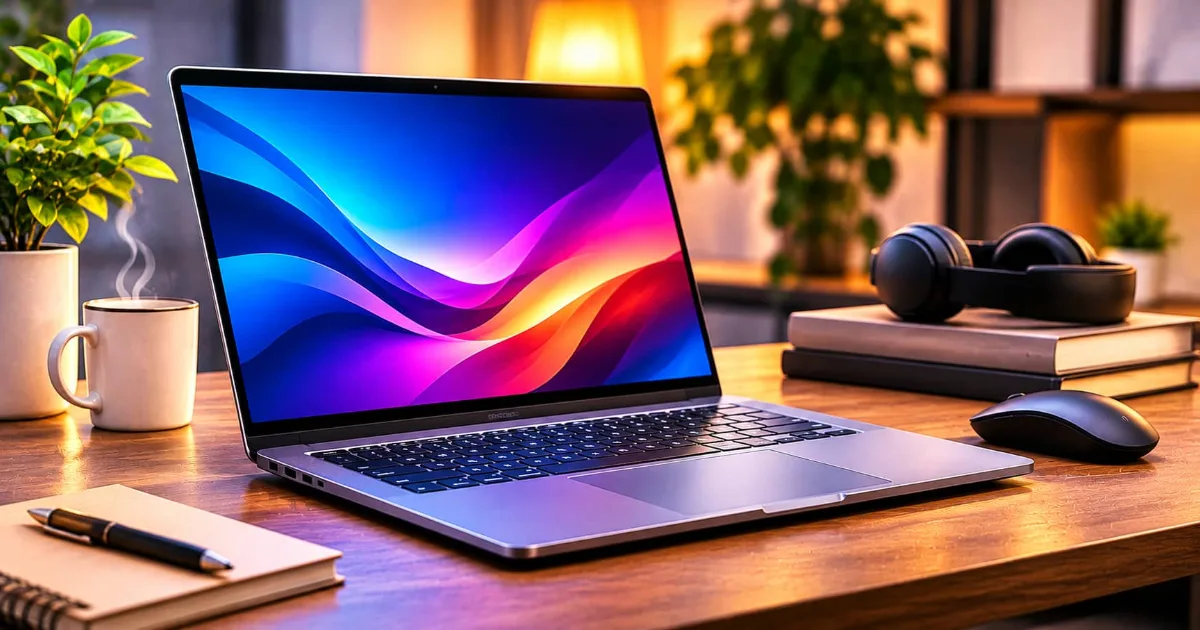
Black Friday Laptop Deals: Best Laptops Under ₹50,000 to Check
A practical India-focused shortlist for students, office users, home workers and first-time laptop buyers who want to compare sensible specifications before checking the live Black Friday price.
Browse useful services on Fiverr →Affiliate Disclosure: Some links in this article are affiliate links. If you make a purchase through one of these links, CatchUWorld may earn a commission at no additional cost to you. As an Amazon Associate, CatchUWorld earns from qualifying purchases. Prices, offers, stock, delivery options and eligibility for bank or exchange benefits can change on Amazon India, so confirm the final checkout details before ordering.
The best Black Friday laptop under ₹50,000 is not automatically the one with the biggest processor name. In this price range, a good purchase usually means balancing a modern processor, at least a 512GB SSD, enough memory for your workload, a comfortable display and dependable after-sales support. The models below are selected as comparison candidates, and the live Amazon price should be treated as the final buying test rather than any pre-sale or historical price.
SEO Details
- SEO title: Black Friday Laptop Deals: Best Laptops Under ₹50,000 to Check
- Meta description: Compare laptops under ₹50,000 in India for Black Friday, including ASUS Vivobook Go 15, Acer Aspire Lite, HP 15 and Lenovo V15 options.
- Focus keyword: best laptops under ₹50,000
- URL slug: black-friday-laptop-deals-best-laptops-under-50000
- Category: Amazon India Electronics Deals
- Tags: Black Friday laptop deals, laptops under ₹50,000, Amazon India laptops, student laptops, office laptops, budget laptops
Quick Navigation
Jump to a laptop
What to Expect from a Laptop Under ₹50,000 During Black Friday
A ₹50,000 ceiling can cover everyday computing very well, but it is important to define “everyday” honestly. Browsing, Microsoft Office, online classes, accounting software, presentations, coding practice, streaming, video calls and light photo work are reasonable expectations. Heavy 4K video editing, professional 3D rendering and demanding modern games usually require a stronger cooling system and a dedicated graphics processor, which may move the budget higher.
Black Friday can create attractive opportunities, but the discount label alone is not enough. Check whether the configuration includes 8GB or 16GB RAM, whether the RAM is upgradeable, whether storage is a genuine NVMe SSD, whether Windows and Office are included, and whether the seller and return policy are acceptable for your location. Amazon India listings can change by colour, seller and configuration even when the product family name appears identical.
For additional deal research, compare this guide with CatchUWorld’s mobile phone Black Friday deals guide, the earbuds and Bluetooth headphones guide and the Amazon electronics deals guide.
Five Laptops Worth Checking
ASUS Vivobook Go 15 E1504FA-BQ2116WS
Best For: Buyers who want 16GB RAM and bundled productivity software

Black Friday price check: under ₹50,000 only if the live offer qualifies
Buy on Amazon India Check seller, delivery date and replacement terms before payment.The ASUS Vivobook Go 15 listing verified for this guide presents a 15.6-inch Full HD anti-glare display, an AMD Ryzen 5 40 processor, 16GB LPDDR5 memory, a 512GB NVMe SSD, Windows 11 Home and Office Home 2024. That combination is unusually useful for people who keep many browser tabs open, work with spreadsheets or want a laptop that will not feel immediately restricted by 8GB memory.
The important trade-off is that the memory is onboard, so buyers should treat 16GB as the configuration they will use for the life of the laptop. The integrated Radeon graphics are suitable for everyday work and light creative tasks, but this is not a dedicated gaming laptop. ASUS lists a 720p camera, USB-C, HDMI and Wi-Fi 6E connectivity for this configuration.
Key Features
- AMD Ryzen 5 40 processor
- 16GB LPDDR5 RAM
- 512GB PCIe NVMe SSD
- 15.6-inch Full HD anti-glare screen
- Windows 11 Home and Office Home 2024 listed
- Wi-Fi 6E, USB-C and HDMI connectivity
Acer Aspire Lite AMD Ryzen 3 7330U
Best For: Value-focused home users and students

The Acer Aspire Lite family is worth checking when the priority is a sensible Windows laptop with a Full HD screen and SSD storage without spending the entire budget. Listings for the Ryzen 3 7330U configuration commonly pair the processor with 8GB memory and a 512GB SSD, although the exact seller, memory configuration and bundled software must be confirmed on the live product page.
This is the kind of laptop that can suit assignments, browsing, video calls, online learning and office documents. The practical question is not whether the processor name sounds impressive; it is whether the Black Friday configuration offers enough RAM for your workload and whether the screen, keyboard and warranty match your expectations.
Key Features to Check
- AMD Ryzen 3 7330U processor on the matching configuration
- 512GB SSD commonly listed for this model family
- 15.6-inch Full HD display on the configuration researched
- Windows 11 Home and Office may vary by listing
- Confirm RAM capacity and upgradeability before checkout
HP 15 with AMD Ryzen 3 7320U
Best For: Students and office buyers who prefer a familiar mainstream brand

HP 15 configurations with the AMD Ryzen 3 7320U are designed for routine productivity rather than specialist workloads. Amazon’s own student-laptop guidance has listed this processor family with 8GB memory, 512GB SSD storage and a 15.6-inch Full HD screen in the affordable segment. That makes it a reasonable model family to inspect when you want Windows compatibility, a conventional keyboard and a familiar support ecosystem.
The main limitation is upgrade planning. Some HP 15 configurations use onboard memory, and the exact display, webcam, Office bundle and warranty details can differ by product code. Read the complete title and specifications instead of purchasing solely because the listing says “HP 15.”
Key Features to Check
- AMD Ryzen 3 7320U processor on the selected model
- 512GB SSD configuration available in this family
- 15.6-inch Full HD display on matching listings
- Windows 11 Home may be included
- Check webcam resolution, memory type and return policy
Lenovo V15 Gen 4 with AMD Ryzen 3 7320U
Best For: Spreadsheet users and practical work-from-home setups

The Lenovo V15 is a work-oriented laptop family with a 15.6-inch screen, a conventional business-style design and a full-size keyboard on many configurations. The Ryzen 3 7320U version is suited to documents, browser-based business tools, email, online meetings and accounting work where screen area and keyboard practicality matter more than premium materials.
Be especially careful with operating system details. Some V15 listings in different markets may be sold with DOS or different storage and memory combinations. If you need a ready-to-use Windows laptop, select only a listing that explicitly states Windows 11 Home or the operating system you require.
Key Features to Check
- AMD Ryzen 3 7320U processor on the relevant version
- 15.6-inch Full HD anti-glare display on many configurations
- Business-friendly keyboard and port selection
- 8GB or 16GB memory may vary by listing
- Confirm Windows, SSD capacity and warranty before buying
Acer Aspire 3 Intel Core i3 Configuration
Best For: Basic study, browsing and home computing

Black Friday price check: favour 512GB SSD storage where possible
Acer Aspire 3 models are often positioned as straightforward family and student laptops. A 13th-generation Intel Core i3 version with 8GB RAM and 512GB SSD is the type of configuration to consider when you want responsive boot times and enough storage for documents, downloads and class material without paying for features you will not use.
The compromise is performance headroom. An Aspire 3 with 8GB memory can handle normal productivity, but heavy multitasking, large spreadsheets and creative applications may feel more restricted than on a 16GB model. Choose this option when your work is predictable and your priority is keeping the purchase comfortably below the ₹50,000 ceiling.
Key Features to Check
- Intel Core i3 processor on the selected generation
- 8GB RAM is common in this price segment
- 512GB SSD configuration available in the model family
- Full HD display on the matching configuration
- Confirm Office bundle and memory upgrade options
Comparison Table
| Laptop | Target Price | Best For | Important Check |
|---|---|---|---|
| ASUS Vivobook Go 15 | Under ₹50,000 during a qualifying offer | Multitasking and office work | Onboard 16GB memory and live seller |
| Acer Aspire Lite Ryzen 3 | Compare the live 8GB and 16GB versions | Value-focused everyday use | RAM, Office bundle and warranty |
| HP 15 Ryzen 3 | Check the exact product code | Students and office users | Display, webcam and memory type |
| Lenovo V15 Gen 4 | Under ₹50,000 if Windows configuration qualifies | Spreadsheets and work from home | Windows versus DOS listing |
| Acer Aspire 3 Core i3 | A lower-cost Black Friday option | Basic study and browsing | 8GB limitations and upgrade path |
How to Choose the Right Laptop for Your Workload
For college students
Prioritise a comfortable keyboard, Full HD resolution, SSD storage and reliable video-call capability. If your course involves programming, research or many browser tabs, 16GB RAM is preferable. The ASUS Vivobook Go 15 is the strongest fit in this shortlist when its live price falls within budget, while the HP 15 and Acer Aspire 3 can make sense for simpler academic work.
For office work and small business
Look beyond the processor label. Check the keyboard, number of USB ports, HDMI availability, webcam quality, Wi-Fi standard and whether the machine includes the Office software you actually need. The Lenovo V15 can be useful for spreadsheet-heavy work because its larger screen and work-focused design may be more practical than a smaller ultraportable.
For light editing and content creation
Choose 16GB memory if possible and do not assume integrated graphics can replace a dedicated GPU. Light image editing, Canva work, short 1080p projects and social media content are realistic, but serious editing workflows benefit from a higher budget, better cooling and a stronger graphics solution.
For gaming
Most sub-₹50,000 laptops in this comparison are productivity machines. They may run older or lightweight games at modest settings, but buyers looking for modern AAA gaming should check dedicated graphics, cooling, display refresh rate and upgradeable memory rather than selecting a thin-and-light laptop simply because it has a fast-sounding CPU.
Black Friday Laptop Buying Checklist
- Confirm the exact processor model, not just the product-family name.
- Prefer 16GB RAM when your budget and workload allow it.
- Choose a 512GB SSD for a better balance of speed and storage.
- Check whether RAM is upgradeable or permanently onboard.
- Confirm Windows 11 Home if you do not want to install an operating system yourself.
- Check whether Microsoft Office is included and whether the licence is lifetime or subscription-based.
- Review the seller, return policy, replacement window and warranty information.
- Compare the final price after bank offers only if you genuinely qualify for those offers.
- Take photographs of the sealed package and record the unboxing for expensive electronics.
- Do not rely on a crossed-out list price as proof of a genuine saving.
Before completing your purchase, it can also help to read CatchUWorld’s live electronics deal comparison, the last-minute shopping guide and the article on how to judge whether a sale was actually worthwhile. These guides are useful because the best deal is determined by the final configuration and price, not by the promotional label alone.
Mandatory Supporting Promotions
AI Business Growth Toolkit 2026
If you are buying a laptop for freelance work, online business, marketing or content creation, the AI Business Growth Toolkit may be worth reviewing as a separate digital resource.
Explore the AI Business Growth ToolkitAdditional Amazon References
These approved Amazon links may be useful for readers exploring additional books or shopping resources. They are separate from the laptop comparison and should not be treated as laptop recommendations.
Budget, Editor’s and Premium Choices
Budget Choice: Acer Aspire 3 Core i3
Choose the Acer Aspire 3 when your work is mainly browsing, documents, online classes and streaming. It is the sensible lower-cost direction, provided the live listing has a 512GB SSD and the RAM is sufficient for your expected use.
Check the Acer Aspire 3 listingEditor’s Choice: ASUS Vivobook Go 15
The ASUS Vivobook Go 15 is the best all-round candidate in this comparison because the verified listing combines 16GB RAM, a 512GB SSD, Full HD display, Windows 11 Home and Office Home 2024. Buy it only when the live Amazon price is genuinely under your ceiling and the exact colour and seller match the configuration described.
Check the ASUS Vivobook Go 15 pricePremium Choice: A 16GB Ryzen 5 or Core i5 Sale Configuration
Within a strict ₹50,000 limit, the premium choice should mean the strongest genuinely discounted 16GB configuration you can verify, rather than simply the most expensive listing. If a Ryzen 5 or Core i5 laptop with 16GB RAM and a 512GB SSD drops into budget during Black Friday, it may justify paying more than an 8GB entry-level model.
Check premium sub-₹50,000 listingsFrequently Asked Questions
Which is the best laptop under ₹50,000 for most people?
The ASUS Vivobook Go 15 is the strongest all-round candidate here because the verified listing offers 16GB RAM, a 512GB SSD and bundled productivity software. The final recommendation still depends on the live price, seller, warranty and your need for upgradeable memory.
Is 8GB RAM enough for a student laptop?
8GB can be enough for documents, browsing, video classes and basic applications. However, 16GB is a safer choice for long-term use, many browser tabs, coding tools, large spreadsheets and light creative work.
Should I buy a laptop during Black Friday or wait?
Buy when the configuration, seller and final price make sense for your needs. Waiting for a sale label alone is not a strategy, because stock, colour variants and bank offers can change. A clear target price makes it easier to recognise a real opportunity.
Can these laptops handle gaming?
They can handle casual, older or lightweight games depending on the configuration, but they are not dedicated gaming machines. Buyers wanting modern games should look for a dedicated GPU and suitable cooling, even if that means increasing the budget.
Is a 512GB SSD necessary?
It is not mandatory, but it is preferable for most buyers. A 512GB SSD gives the operating system, applications, documents and personal files more breathing room than a 256GB drive while maintaining fast startup and loading.
What should I check immediately after delivery?
Record the unboxing, inspect the package, verify the model and serial information, check the screen for visible damage or dead pixels, test the keyboard and ports, confirm the charger and review the warranty registration instructions.
Conclusion
Black Friday laptop shopping under ₹50,000 is mainly a configuration exercise. The safest purchase is the model that gives you enough memory, SSD storage, a comfortable display and appropriate support without forcing you to pay for specifications you will not use. The ASUS Vivobook Go 15 deserves first attention for multitasking, while Acer Aspire, HP 15 and Lenovo V15 configurations remain useful alternatives for buyers with different priorities.
Always open the live Amazon India listing, confirm the exact processor and memory, compare the final checkout price, check the seller and read the replacement terms before ordering. Deals move quickly, but a careful comparison is more valuable than a dramatic discount badge.
Follow CatchUWorld
Follow CatchUWorld for more shopping guides, technology comparisons and practical deal-checking advice.
Follow @SriSharadaCollections
For readers who also enjoy Indian ethnic fashion, follow @SriSharadaCollections on Instagram to see the latest available sarees, kurtis and festive-wear collections. Product availability, colours, designs and ordering details should be confirmed directly through the page.

- Visit Instagram, follow the page and choose an available product.
- Send the product details through WhatsApp or Instagram for payment processing.
- Provide billing and shipping details as requested.
- Attach the phone-payment screenshot according to the supplied instructions.
Research note: Product specifications and listing details were checked against current Amazon India and manufacturer or retailer information available during preparation. Amazon prices, seller details, availability, delivery dates, offers and product configurations can change without notice.
📲 Get India deals & new guides first — join us free
WhatsApp ChannelTelegram ChannelWhatsApp GroupTelegram GroupArattai Group« Prev Post
Next Post »



Guidecraft-Desk+Hutch+Chair+Set.jpg)


0 Comments
Please do not enter any spam link in the comment box.